
Halo
Enterprise Service Management · Included in every licence

Facilities service management
built on your ITSM platform.

Halo extends the same structured workflows, self-service portal, and automation your IT team uses to your Facilities department — with photo-ready mobile ticketing, physical asset management, and no extra licence cost.
Siloed
Data separation
One
Shared portal
Mobile
Field-ready app
£0
Extra licence cost

Facilities runs on spreadsheets
and WhatsApp groups.

Every process that makes IT service delivery measurable — structured ticketing, SLA tracking, self-service reporting, and asset visibility — your Facilities team needs the same. Most Facilities departments manage service delivery through shared inboxes, paper log books, and informal message threads.

Managing Facilities by email

  • Maintenance jobs emailed in, forgotten, or sitting unread in a shared inbox.
  • No way to track average repair time, backlog size, or overdue jobs.
  • Room booking conflicts managed manually — no live availability, no self-service.
  • Contractor jobs tracked on spreadsheets — no cost visibility, no audit trail.
  • Employees don't know if their maintenance request was received, let alone when it'll be fixed.

Facilities on Halo

  • Every job tracked with owner, priority, SLA, and status — nothing gets lost.
  • Real-time dashboards on repair times, open jobs by site, and team workload.
  • Self-service room bookings through the same portal employees use for IT requests.
  • Contractor jobs managed with cost tracking, approvals, and SLA visibility built in.
  • Employees submit, track, and receive updates on every request from one place.

Out-of-the-box Facilities
workflow templates.

Halo ships with pre-built Facilities workflow templates covering the most common request types. Facilities administrators own their own configuration — they can adapt templates, build new catalogues, and manage their workflows without needing IT resources or IT admin access.

  • Facilities agents see only Facilities tickets, queues, and configuration — completely isolated from IT and HR at the permission level, not by convention.

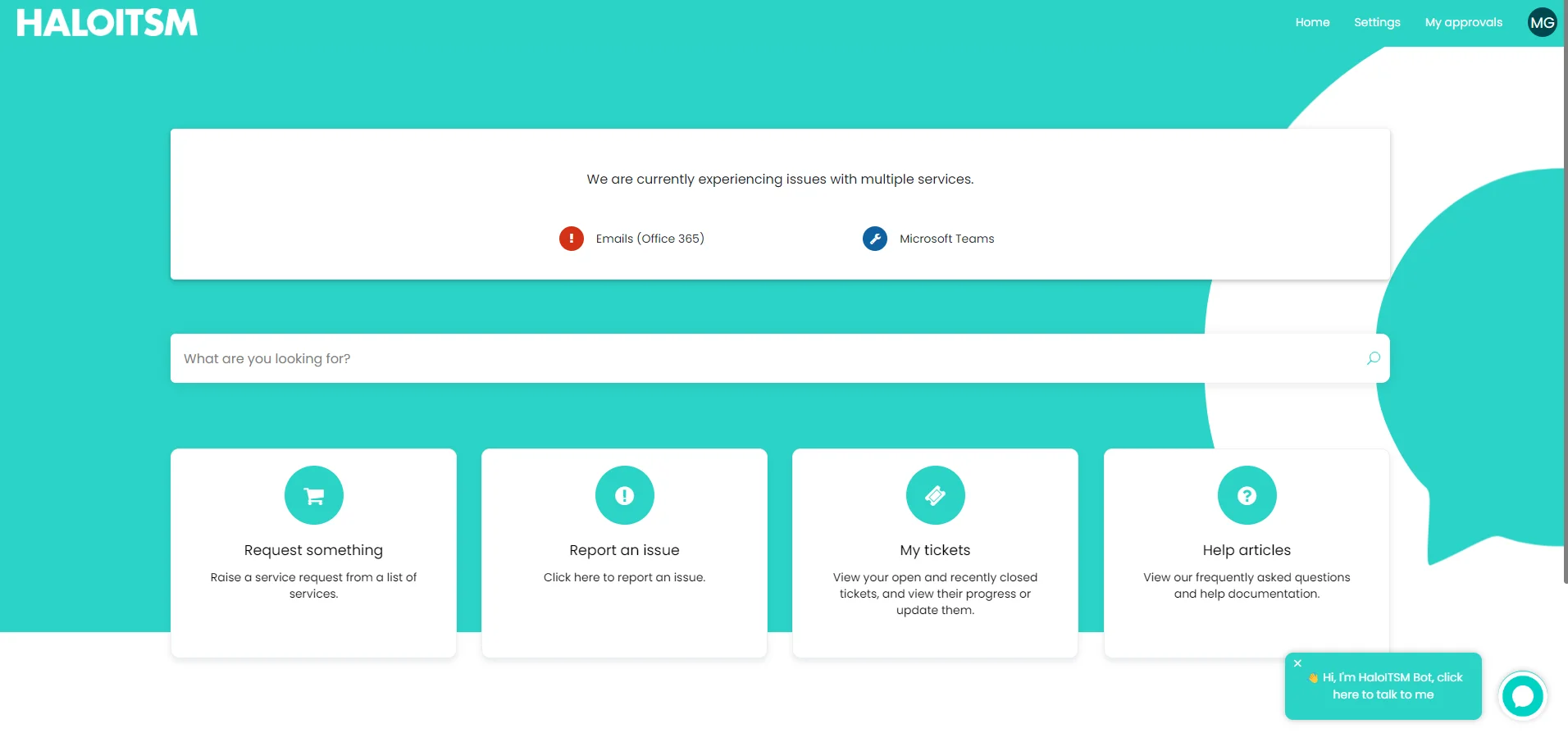
  • Employees reach Facilities through the same self-service portal they use for IT — no separate login, no guessing which system to use. Search "plumbing issue" and Halo routes them correctly.

  • Configure automations and approval chains using the drag-and-drop workflow engine — no developer involvement, fully owned by the Facilities team.

Out-of-the-box Facilities templates

Maintenance & Repair Job

Log, assign, photo-attach, and track to completion

Ready

Room & Desk Booking

Self-service bookings with live availability

Ready

Visitor Pre-Registration

Register, check in, and track visitor compliance

Ready

Health & Safety Compliance

Risk assessments, checks, and incident reporting

Ready

Contractor Job Management

Raise, assign, and track external jobs with cost tracking

Ready

New Starter — Facilities Tasks

Desk assignment, building access, induction booking

Ready

Adapt any template or build from scratch — all owned by Facilities, no IT required

Log jobs from the field.
Photo included.

Facilities teams aren't desk-bound — they're on-site, walking floors, inspecting equipment. Halo's mobile app means a maintenance worker can photograph a fault, attach it to a job, and submit the ticket without returning to a desk. The same structured process, wherever the work actually happens.

  • Photograph a fault on-site and attach it directly to the ticket — no need to describe a problem when a photo says it in one second.

  • Field engineers use the Halo mobile app to view assigned jobs, update status, log time, and close tickets on-site — not back at a desk at end of day.

  • Routing rules ensure each request type reaches the right specialist automatically — plumbing to the plumbing team, electrical to the electrical team, no manual triage required.

Halo Mobile App — New Maintenance Job

Leaking pipe — 2nd floor kitchen

Raised via mobile app · 2 mins ago

HIGH Plumbing Building A · Floor 2

photo_leak_2F_kitchen.jpg

Attached from camera · 1.2 MB

✓ Attached
Ticket raised · Auto-assigned to Plumbing team · SLA: 4 hrs
Halo self-service portal
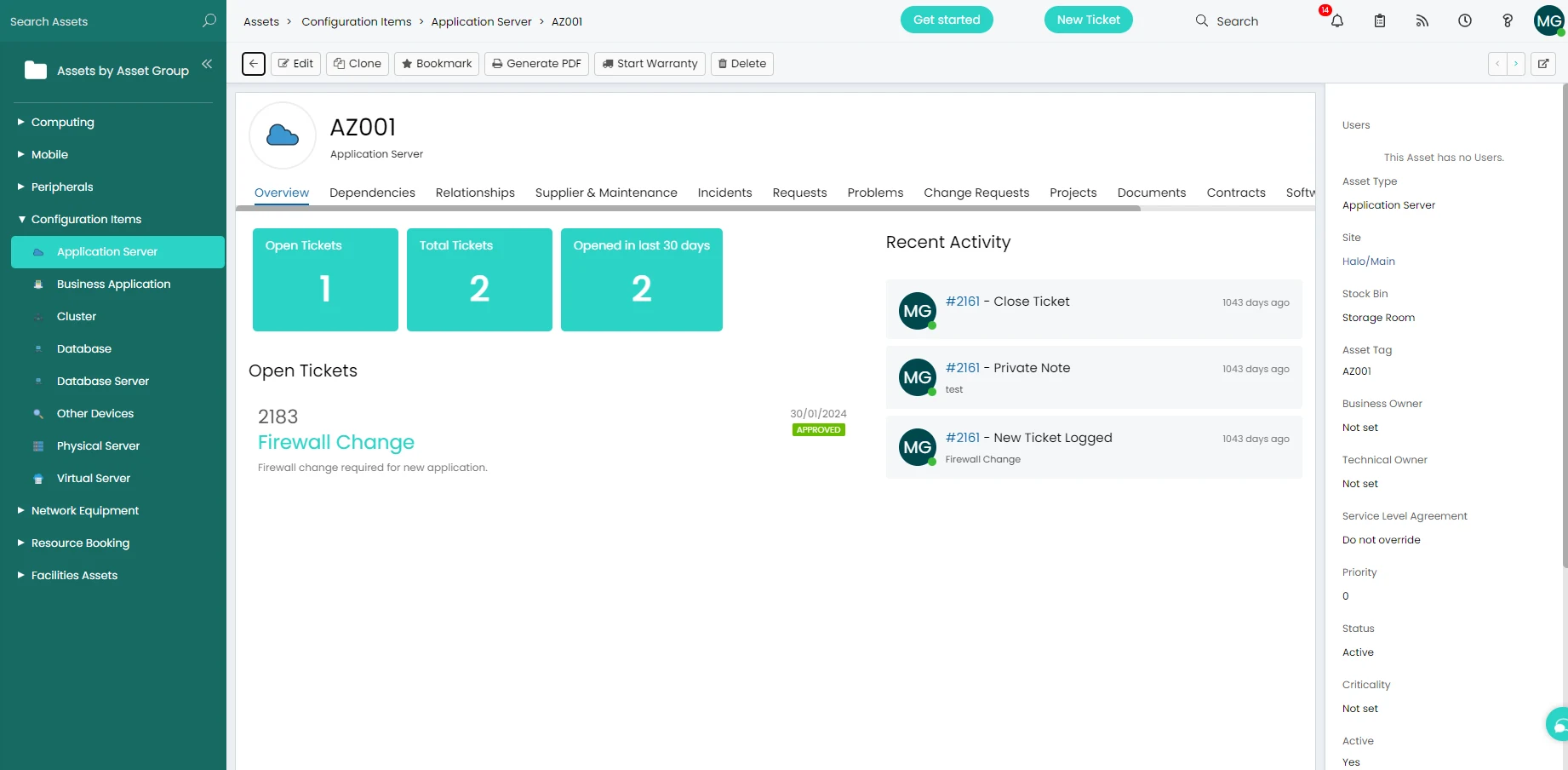
Halo asset management

Assets aren't just laptops.
Halo tracks everything.

The same asset management capability IT uses for hardware and software works identically for Facilities — water fountains, minibuses, projectors, AV equipment, air conditioning units, fire safety equipment. Track any asset across its full lifecycle, link it to maintenance jobs, and know exactly what you own and where it is.

  • Link maintenance jobs directly to the asset being repaired — see the full history of what's been done to a piece of equipment and when, from one screen.

  • Track service contracts, warranties, and inspection schedules against physical assets — get renewal alerts before something lapses and becomes a compliance risk.

  • Configurable asset categories — rooms, vehicles, equipment, infrastructure, spaces — all managed in the same platform as IT assets, with no cross-visibility between departments.

Everything Facilities service management needs.

Built in and available from day one — no separate Facilities tool, no extra licence.

Maintenance Requests

Log, assign, and track repair jobs with photo attachments, priority routing, SLA tracking, and a full audit trail — from the portal or the mobile app.

Room & Desk Booking

Self-service room and desk bookings through the employee portal. Employees check live availability, make their booking, and receive confirmation — without calling Facilities.

Visitor Management

Pre-register visitors, manage check-in, issue passes, and track who is on-site at any time. Compliance requirements and health and safety checks built into the workflow.

Health & Safety Compliance

Manage risk assessments, compliance tasks, and safety incident reports as structured workflows. Scheduled checks trigger automatically — nothing slips because it wasn't in someone's calendar.

Contractor Management

Raise, assign, and track jobs for external contractors — with cost tracking, approval workflows, SLA visibility, and a complete audit trail of all external work carried out on-site.

No Extra Licence Cost

Facilities service management is included in the same all-inclusive Halo licence as ITSM — no per-department fees, no module unlocks. Every capability your Facilities team needs, at no additional cost.

Facilities service management is standard.
Not a separate product.

ServiceNow charges a separate Workplace Service Delivery licence on top of ITSM. Halo includes Facilities, HR, Finance, and Legal in the same all-inclusive monthly price. The cost of giving your Facilities team a proper service management platform is £0.

📱

Mobile-first for field teams

Facilities teams work on-site, not at desks. Halo's mobile app means every job can be raised, updated, and closed from the floor — photos attached, status updated, SLA met.

Live in days with templates

Halo ships with out-of-the-box Facilities workflow templates. A basic deployment covering maintenance, room bookings, and visitor management can be live within days — no IT project required.

🔒

Fully siloed from IT and HR

Facilities agents see only Facilities — their own tickets, queues, and assets. Data isolation is enforced at the permission level. IT and HR see nothing of Facilities operations.

FAQ

Common questions

Is Facilities service management included in the Halo licence?
Yes. Halo's ESM capability — including Facilities, HR, Finance, and Legal — is included in the same all-inclusive monthly licence as ITSM. There are no per-department module fees. Adding Facilities service management means configuring the department within the existing platform, not purchasing a separate Facilities Management tool.
Can IT or HR agents see Facilities tickets?
No. Halo enforces complete data isolation between departments at the permission level. Facilities agents are scoped to the Facilities organisational unit — they see only Facilities tickets, queues, assets, and configuration. IT and HR agents cannot see Facilities operations, and Facilities cannot see IT or HR. This is enforced by the platform, not by trust or convention.
Does Halo have a mobile app for Facilities teams working on-site?
Yes. Halo has a native mobile app that field engineers and Facilities teams can use to raise tickets, attach photos, view assigned jobs, update status, log time, and close requests — all from their phone while on-site. Photos can be attached directly from the camera at the point of raising the job, which is particularly useful for maintenance and repair requests where a picture communicates more clearly than a description.
Can Halo manage physical assets like furniture and equipment, not just IT assets?
Yes. Halo's asset management capability is not restricted to IT hardware and software. Facilities teams can use the same module to track any physical asset — furniture, AV equipment, vehicles, water fountains, HVAC units, fire safety equipment, or any other physical item. Assets can be linked to maintenance jobs, service contracts, warranties, and inspection schedules. Facilities asset records are completely isolated from IT asset records.
What Facilities request types does Halo support out of the box?
Halo ships with out-of-the-box workflow templates covering the most common Facilities request types: maintenance and repair jobs, room and desk bookings, visitor pre-registration and check-in, health and safety compliance tasks, risk assessments, contractor job management, and Facilities tasks within employee onboarding and offboarding workflows. All templates can be adapted by Facilities administrators using the drag-and-drop workflow builder — no developer involvement required.

Give Facilities the tools IT has always had.

Talk to an Allied ESM specialist and see how Halo's Facilities service management works — out-of-the-box templates, mobile field ticketing, and physical asset management, all on the platform you already have.