CSM

Halo CSM Customer Self-Service & Help Centre.

Every ticket a customer could have solved themselves is still a ticket someone has to answer. Halo CSM's self-service portal gives customers a destination that looks like your product — your logo, colours and CSS, not Halo's — where they can raise a request from your service catalogue, track and reply to tickets, check service status, and search a knowledge base built around what your customers actually ask, without calling or emailing in first. This is the customer-facing half of the story: not Halo's employee ITSM portal, and not the AI virtual agent that talks to customers directly — that's covered on its own page. This is what customers use on their own, before either of those ever needs to get involved.

Branded / Your logo, colours & CSS, not Halo's Self-serve / Catalogue, tickets, status & knowledge base Multi-brand / Separate portals per brand or segment
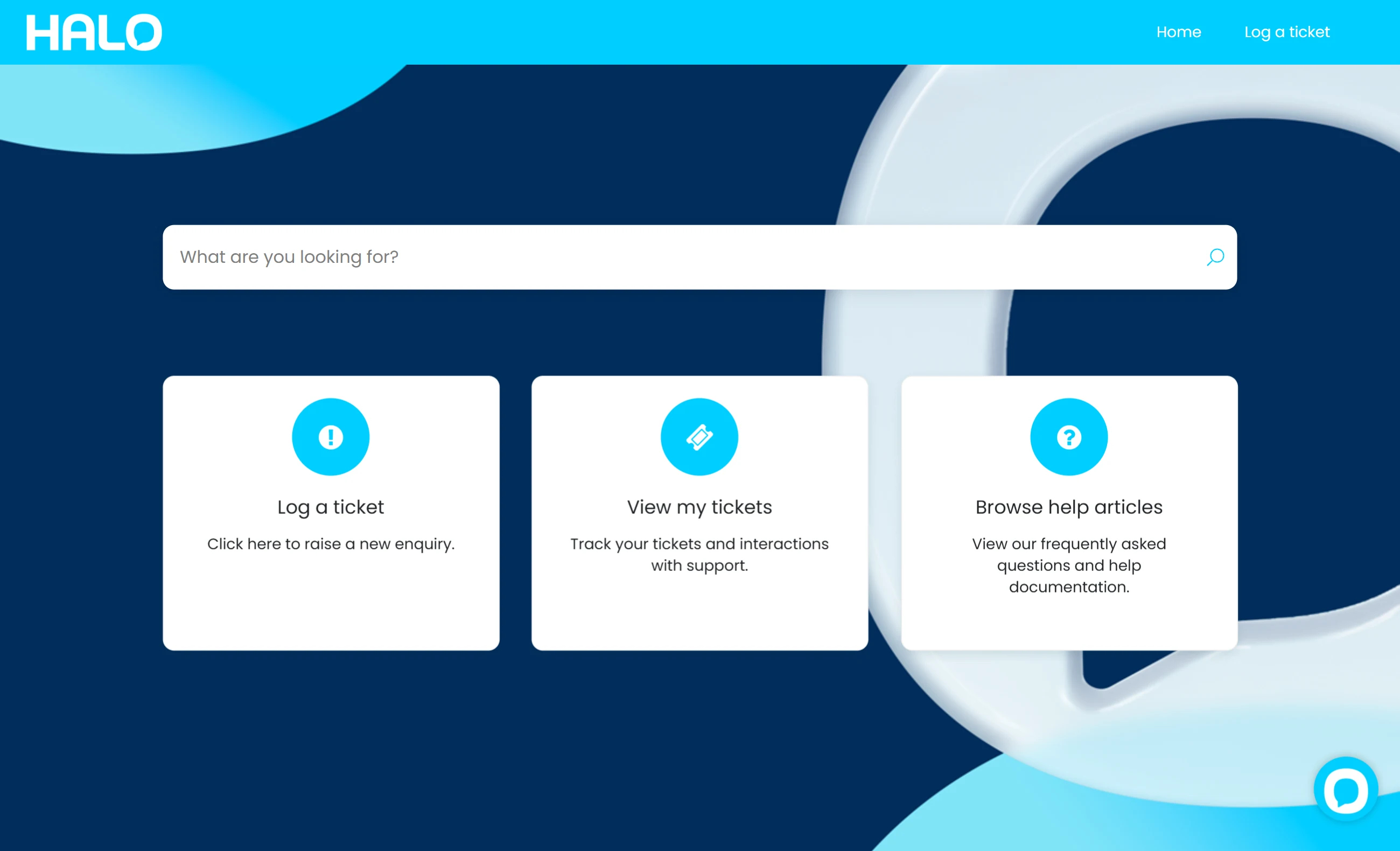
Halo CSM branded customer self-service portal home screen

Every ticket that didn't need a human

Customers already want to self-serve. Most portals aren't good enough to let them.

Every call, chat or email a customer starts because there was nowhere self-serve to go is cost you didn't need to carry — and it's happening more than it should.

$8.01

The average cost of a live service contact — phone, chat or email — compared with around $0.10 for a self-service contact.

Source: Gartner, 2019

9%

Of customers report resolving their issue completely through self-service — phone remains the most preferred channel at 44%, then chat (17%) and email (15%).

Source: Gartner, 2019

That gap isn't a self-service failure — it's a self-service quality problem. A portal customers don't trust, can't find themselves in, or have to create an account just to glance at, gets abandoned for the phone every time. The rest of this page is what it takes to close that gap.

Your brand, not Halo's

Looks like your product. Runs on Halo.

Portal Title, Welcome Message, theme, colour and logo set the base look in a few clicks — but Custom CSS is what takes it further, reaching any element in the portal via its own CSS selector, found by right-clicking the element in the browser and inspecting it. Nothing about the portal has to look or feel like a third-party IT tool bolted on for customers to tolerate.

  • A Custom HTML Banner sits above, below, or both around the home screen — and can be made a sticky banner that follows the customer across every portal page, useful for an announcement that needs to stay visible
  • Message Groups rebrand every email template the portal sends — ticket confirmations, updates, closures — so email and portal carry the same brand, assigned automatically by end user, site, customer or team
  • A Google Analytics Measurement ID plugs straight into the portal, so you can see how customers actually move through it, not just guess
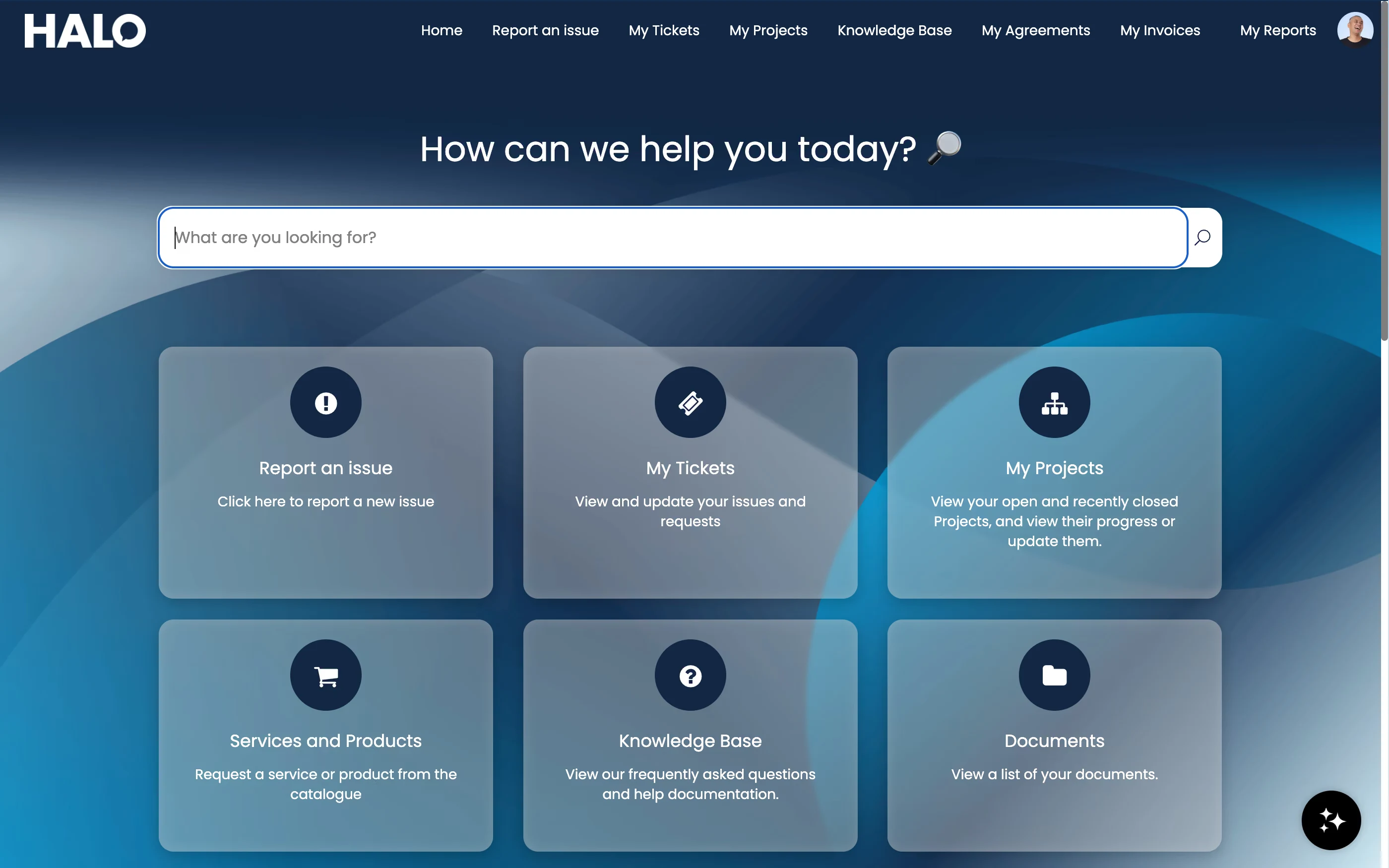
A Halo CSM customer portal home screen themed differently to the one shown at the top of this page — its own welcome message, colour scheme, background and set of tiles

Multiple portals, one platform

Halo ships with one portal out of the box, but additional portals can be deployed per brand or customer segment — each with its own title, colour, logo and custom CSS, reachable at its own URL, while every one runs on the same underlying Halo functionality behind the scenes.

Anonymous ticket logging

Certain ticket types can be logged without authenticating to the portal at all — via a link or embedded on your own website — for customers who won't create an account just to report one issue. Anonymous logging requires only a name and email address.

Multi-language portals

The default language applies instance-wide, but any customer site can be set to its own language pack — so a French customer and a UK customer read the same portal, in their own language, without running separate systems.

Self-serve, start to finish

Everything a customer needs, before they ever pick up the phone

Not a status page bolted onto a contact form — a working front door for anything a paying customer needs from you.

Service catalogue & requests

Customers browse a pre-defined list of requests grouped by category, restricted to what that specific customer or segment should see. Each request raises a structured ticket from a form built around it, so nothing arrives in your queue missing the details you needed from the start.

Ticket visibility, replies & attachments

"My Tickets" shows every request a customer has raised, with full status and workflow stage. Publicly visible actions let them add updates and reply directly, and attachments upload straight into the ticket — a request started but not finished can also be saved as a draft and picked back up later.

Log a ticket without an account

Anonymous ticket logging covers customers who don't want to create a portal account for a single issue — accessed via a link or embedded directly on your own website, with just a name and email address required to raise the request.

Service status & announcements

Monitored services show planned maintenance or outages on the portal, with full history tracked, so a customer can check before raising a duplicate "is this just me?" ticket. The home screen can also surface recently published news articles and a custom banner for anything you need to say right now.

The knowledge behind the portal

The right article, in front of the right customer

Articles marked for end-user visibility appear directly in the portal, with full-text search and FAQ list tiles grouping content by topic — each list can carry quick-access articles for whatever your customers ask most. This page covers how that knowledge shows up for customers; the structure, drafting workflow and AI suggestion engine behind it are covered in full on Halo Knowledge Management →.

  • Article restrictions by customer or segment — an FAQ list can be shown to everyone, restricted to named customers, or shown only to specific user roles, so different customer groups see different knowledge without either seeing the wrong content
  • Feedback & ratings — customers and agents upvote or downvote articles, with an optional comment field that can be made mandatory on negative votes, and anonymous voting can be allowed for customers without an account
  • Review workflow — a review date flags an article to its named owner when it's due a check, and drafts can be routed through an approval process before anything reaches the portal live
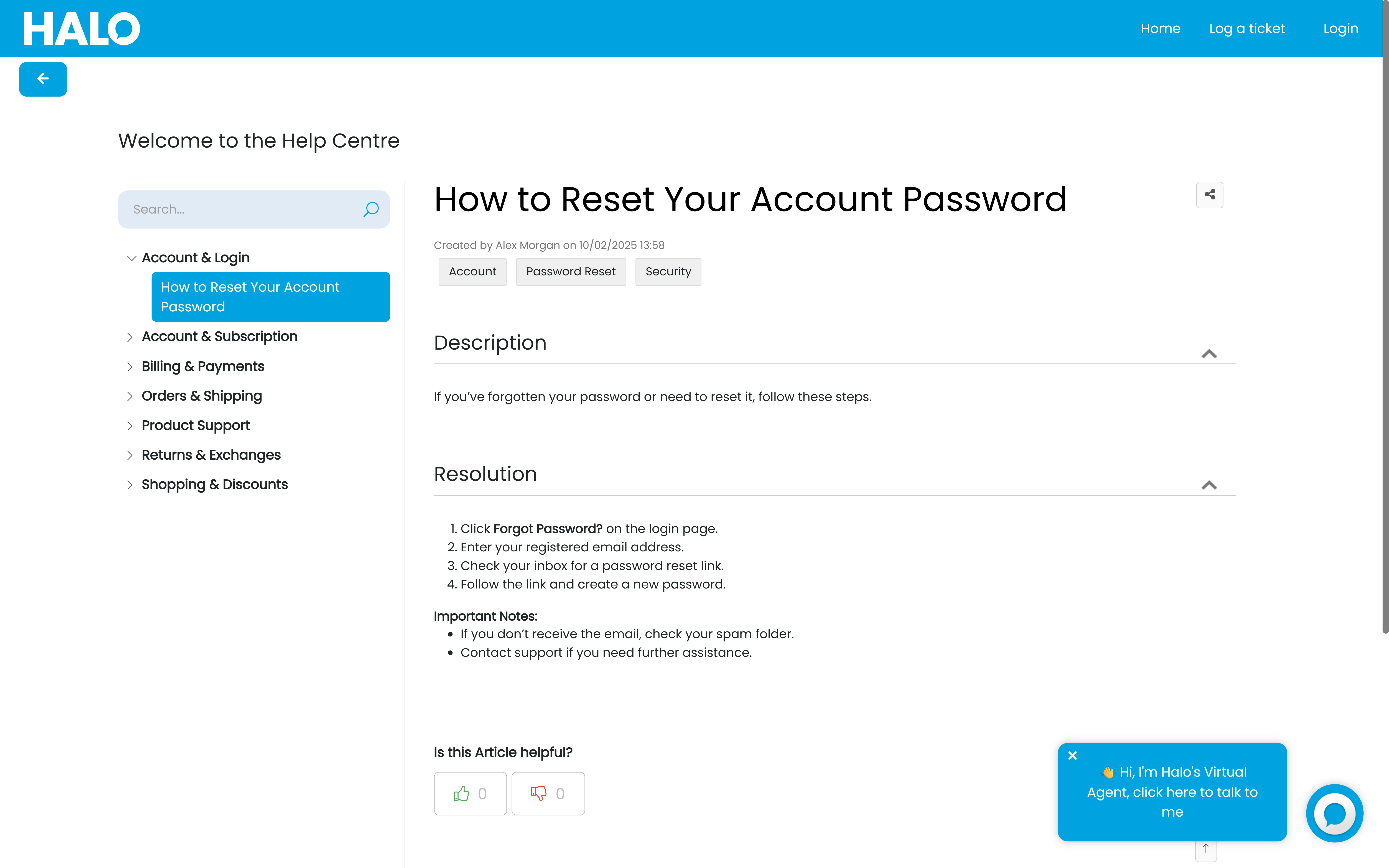
Halo CSM help centre — customer-facing knowledge base articles

Proof, not a promise

Which articles solve it — and which just send them back to the queue

A portal with a knowledge base isn't the same as a portal that deflects. The difference is whether you can measure it.

Search log & knowledge-gap analysis

Every portal search is logged — including the ones that return nothing. Run a report on failed searches and you get a prioritised backlog of the articles customers actually wanted but couldn't find, so you're writing the next article because the data told you to, not guessing.

View counts vs helpfulness ratings

An article that's viewed often but rated poorly is a different problem to one nobody reads at all — one needs rewriting, the other needs promoting or retiring. Split agent/user view counts keep the data honest, showing what customers actually used, not what agents opened while working a ticket.

Customer proof point

A re-designed client portal took Amesto Global's average response time to 9.5 minutes — clients praised the improved portal and prompt resolution, and the firm won new business after demonstrating the platform to prospective clients.

Source: Halo customer case study, Amesto Global (HaloCRM)

Deflection measurement is what tells you whether the portal and knowledge base are working, not just installed. Pair it with the AI virtual agent's own knowledge-search function — which answers from this same content before ever offering to log a ticket — on Halo CSM AI Virtual Agents →.

Configured by Allied ESM

A portal customers actually use, not one they tolerate

Every option on this page is configuration, not code. But a portal with the default look, a thin catalogue and no deflection data is how you end up with the 9% outcome, not a portal that earns its keep.

Portal design & branding

Custom CSS, HTML banners, logo, colour and — where you need it — additional portals per brand or customer segment, built so the portal reads as part of your product from the first click.

Service catalogue & request forms

Categories, access restrictions and request forms built around your actual services — including anonymous logging where you need a no-account route in — so every request arrives with the information you need to act on it.

Knowledge structure & access rules

FAQ lists, restrictions and review ownership set up so the right customers see the right content — auditing existing knowledge and structuring what's missing before it ever reaches the portal.

Deflection measurement & iteration

Search log reporting and article rating reviews built into a regular cadence, so the knowledge-gap backlog gets worked, not left to accumulate in a report nobody opens.

Allied ESM designs and configures all of this as part of a fixed-price Halo CSM implementation — so you know the full cost before work begins. Where you need custom integrations or automation on top, Allied ESM can scope and deliver that as part of your project.

Frequently asked questions

Customer self-service and the help centre in Halo CSM — answered directly.

Can the portal match our own branding, not Halo's?
Yes. Portal Title, Welcome Message, theme, colour and logo cover the basics, and Custom CSS reaches any remaining element via its own CSS selector — found by inspecting the portal in the browser. A Custom HTML Banner can also be added above, below, or sticky across every page, and Message Groups rebrand the email templates the portal sends, so email and portal carry the same look.
Can we run separate portals for different brands or customer segments?
Yes. Halo ships with one portal by default, but additional portals can be deployed per brand or customer segment, each with its own title, colour, logo and custom CSS at its own URL, while every portal runs on the same underlying Halo functionality behind the scenes.
Can customers log tickets without creating an account?
Yes — certain ticket types can be configured for anonymous logging, accessed via a link or embedded directly on your own website. It requires only a name and email address, useful for customers who don't want to create a portal login just to report one issue.
Can customers see ticket status and SLA information?
Yes. "My Tickets" shows every request a customer has raised with current status and workflow stage, and the ticket details view can display SLA information alongside it. Publicly visible actions also let customers add updates and reply directly from the portal.
How is this different from Halo's employee self-service portal?
Different audience and different priorities. Halo's self-service portal is built for employees raising internal IT tickets — the same tenant, one set of users, one brand. This page covers Halo CSM's customer-facing portal: external paying customers, multiple portals for multiple brands or segments, anonymous logging for people without an account, full CSS and HTML banner control so it looks like your product rather than an IT tool, and deflection measurement built around what customers are searching for and not finding.
Does the portal support multiple languages?
Yes. A default language applies across the instance, but individual customer sites can be set to their own language pack, so customers in different regions read the same portal in their own language without you running separate systems.
Do we need to write all the knowledge base articles before this goes live?
No — the portal, catalogue and ticket tracking all work from day one regardless of knowledge base depth. But deflection depends on what's in it, so the search log's "no results" report is the fastest way to build a prioritised backlog of the articles worth writing first, rather than trying to write everything upfront. See Halo Knowledge Management → for the full article lifecycle.
How much does Halo CSM cost?
Halo is priced on one all-inclusive monthly licence — the branded self-service portal, service catalogue, knowledge base and anonymous logging are all included, with named and concurrent licence options. See Halo's all-inclusive UK pricing →

Keep going: the rest of the Halo CSM story

This page covers the portal and knowledge base that stop a conversation starting at all. See Halo CSM AI Virtual Agents for the automated side of the same knowledge base, and Halo CSM Omnichannel for what happens once a customer does need a human.

A Help Centre Customers Actually Use

Portal design, service catalogue, knowledge structure and deflection measurement — Allied ESM configures Halo CSM's customer self-service on fixed-price engagements, so you know the full cost before work begins.

Book a Consultation

Official Halo Partner

Allied ESM is a pure play Halo partner — licensing, implementation, consulting & managed services.