Halo ITSM includes full contract and supplier management — track renewals, link contracts to assets and SLAs, log tickets directly to vendors, and monitor supplier performance. All in one platform, included in every licence.
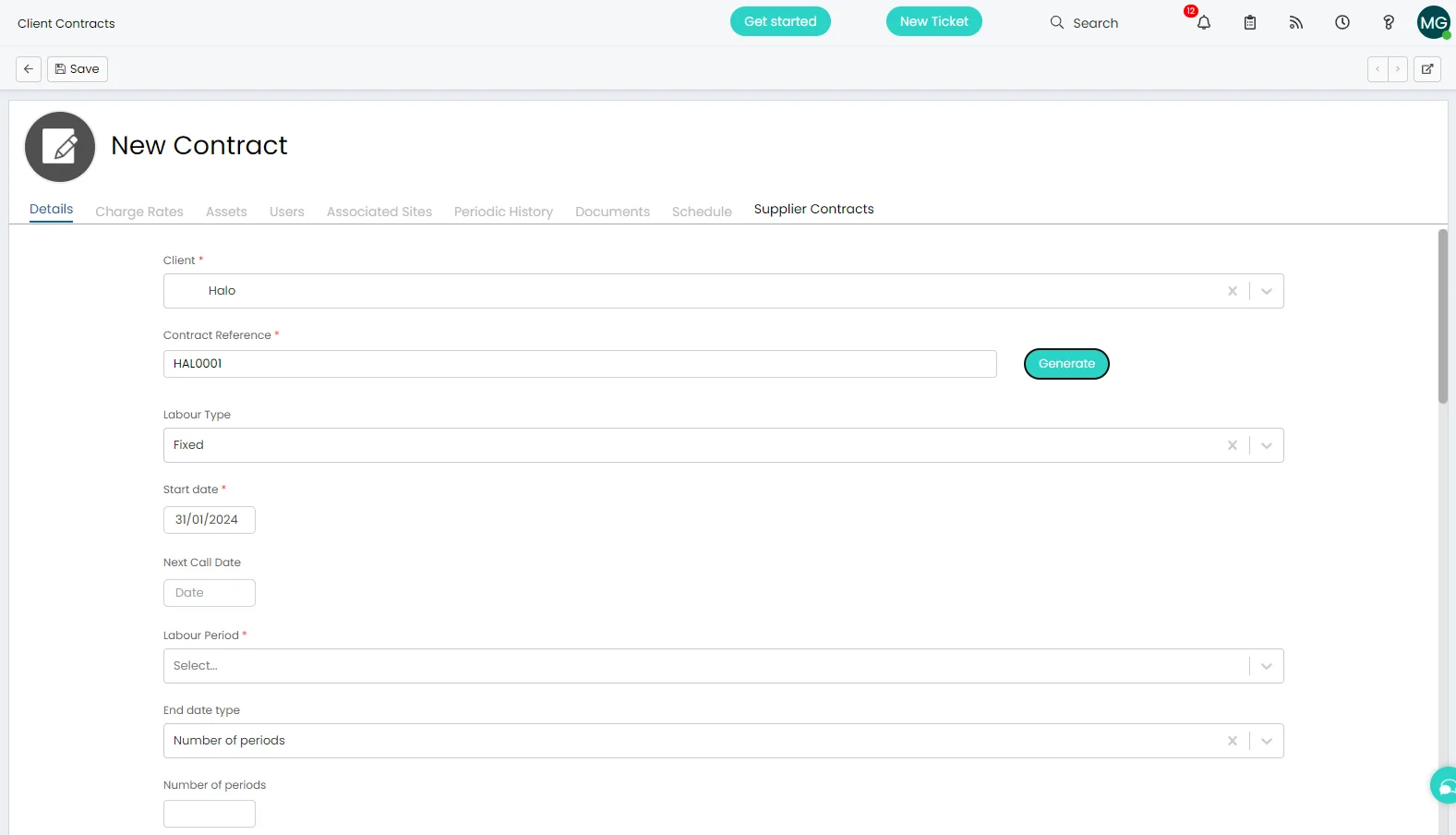
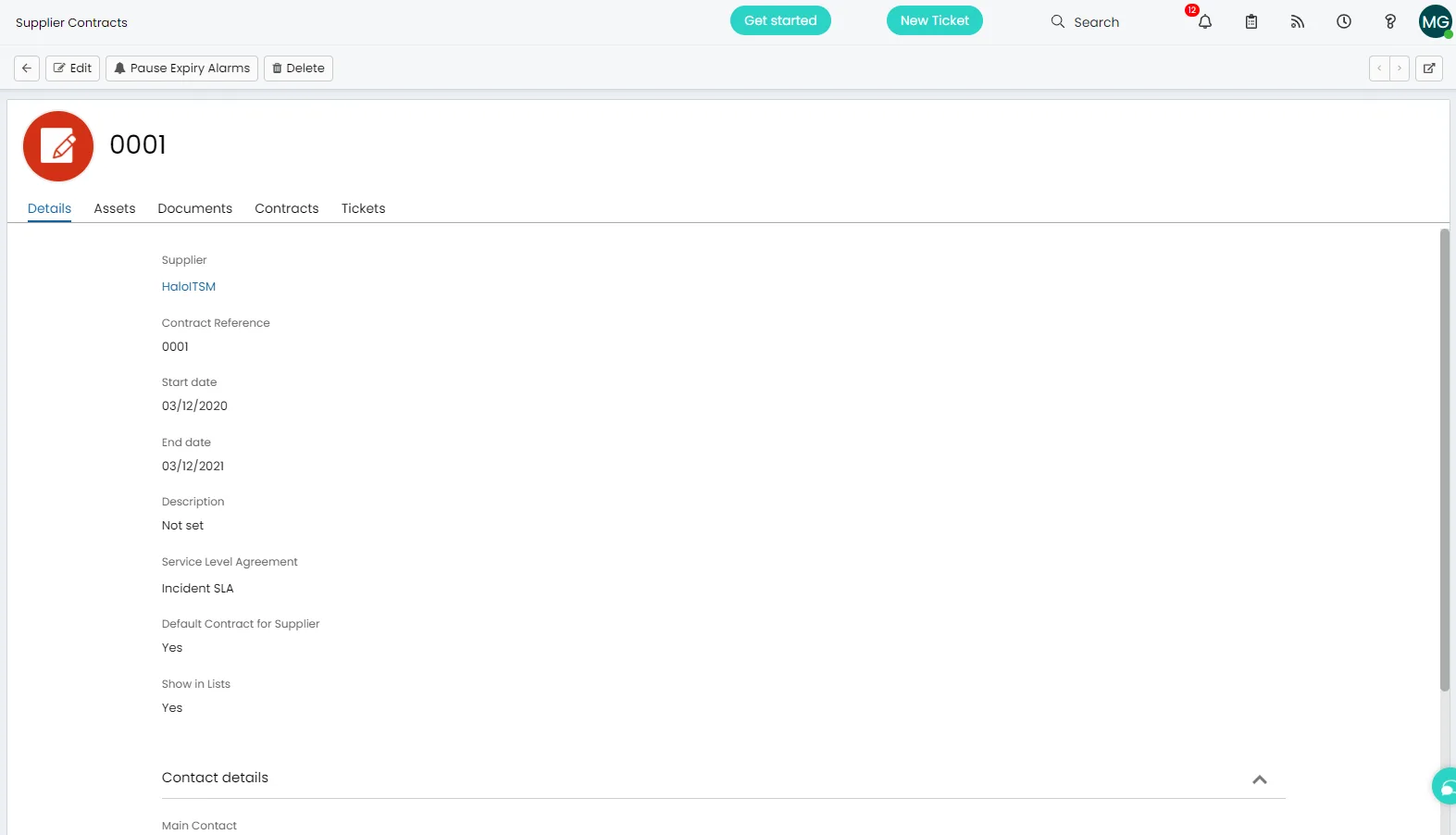
Halo's contract module holds the full detail of every vendor contract and licence — linked directly to the relevant supplier, assets, and SLAs. Expiry alerts notify your team before a contract lapses, and every contract is reportable from inside the platform.
Renewal alerts — Halo notifies your team when a contract is approaching expiry, so nothing lapses by oversight. Notification thresholds are configurable per contract.
Asset & SLA linking — link contracts to the assets they cover and the SLAs that govern them. When you need to trace accountability, everything is connected and auditable.
OLAs tracked too — internal operational level agreements sit alongside vendor contracts in the same module, so all your service commitments are visible in one place.
Supplier Contracts
Log tickets to suppliers. SLA clock pauses automatically.
When an issue needs to go to a third party, Halo's 'Log to Supplier' button pauses the end-user SLA timer and starts the vendor SLA timer simultaneously — so your team is never penalised for a supplier delay. The full ticket history remains linked to the supplier contract record.
Dual SLA tracking — end-user SLA pauses when a ticket is escalated to a supplier. Vendor response and resolution timers run separately and are visible on the ticket.
Tickets linked to contracts — every ticket raised against a supplier is visible from within the supplier contract record, giving you a clear view of supplier performance over time.
No SLA limit — create as many supplier SLAs as you need. Different response and resolution targets per vendor, per contract, per service — all managed from one screen.
Supplier Management
All your vendors. One place to manage them.
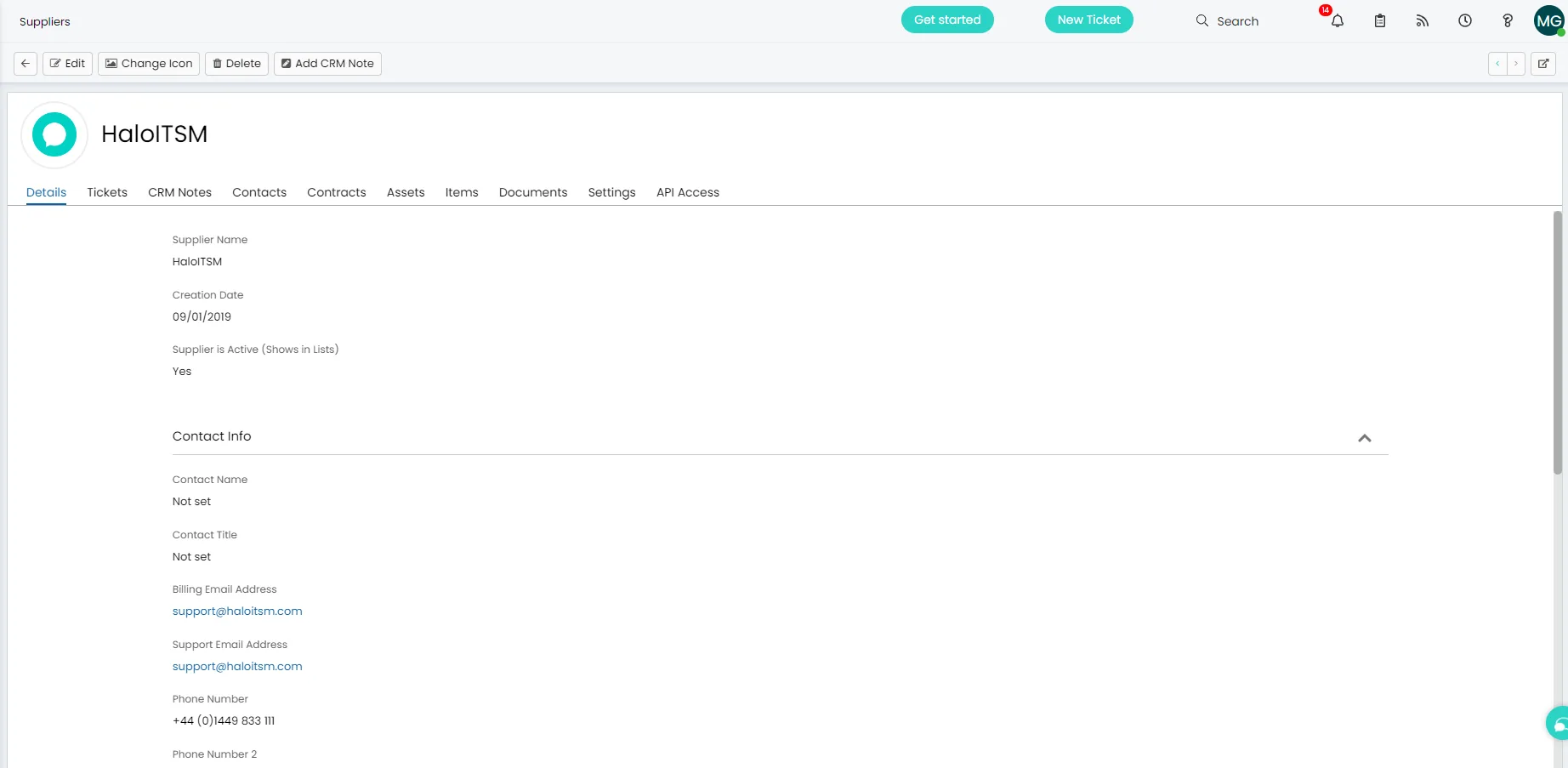
The Halo supplier module holds every vendor's full record — contracts, assets purchased from them, SLAs, and associated tickets all visible in a single view. Procurement, support, and contract accountability connect directly, with every step audited and traceable.
Assets linked to vendors — track which assets were purchased from which supplier and link them to the relevant contracts, so you always know your procurement history.
Purchase orders — raise and track purchase orders against supplier records, linked to the relevant requests and assets. Full procurement lifecycle in one system.
Fully reportable — supplier performance, contract compliance, and ticket history are all reportable from Halo's built-in query builder. No data export required.
Vendor Escalation
How Log to Vendor works.
One button on any ticket. Halo handles the rest — email routing, SLA switching, reference tracking, and a permanent audit trail that links the vendor interaction to the original ticket and the asset it covers.
1
Click Log to Vendor
From any open ticket, click the Log to Vendor button. Halo pre-populates an email with ticket details and variables — the vendor already knows exactly what the issue is.
2
SLAs switch automatically
Your internal SLA timer pauses. The vendor SLA timer — configured on the supplier record — starts immediately. Your team is never penalised for time spent waiting on a third party.
3
Vendor reference captured
When the vendor replies with an acknowledgement, Halo auto-populates the vendor reference number. The link between your ticket and theirs is recorded — no manual tracking in spreadsheets.
4
Full history on the record
Every vendor interaction is logged on the ticket and visible from the supplier record. Open tickets, resolved tickets, SLA performance — all in one place, always available for review or audit.
Separate email threads
Halo keeps your vendor conversation and your end-user conversation in separate threads on the same ticket. There's no risk of sending internal escalation notes to the user, or vendor correspondence to the requester.
Traceable from the asset
When a ticket is linked to a CI or asset, Halo knows which vendor contract covers it. Open the asset record at any time and see all vendor interactions, open tickets, and contract details — without searching by hand.
Vendor performance reporting
Compare your own SLA records against whatever the vendor claims in their QBR. Ticket volumes, response times, and resolution rates per supplier are all reportable from Halo's built-in query builder.
What's included
Everything in contract & supplier management.
All capabilities included in every Halo licence — no extra modules, no per-feature pricing.
Contract tracking
Store full contract details — value, duration, renewal dates, linked SLAs and assets — all in one record with configurable expiry alerts.
Renewal alerts
Configurable notifications before contracts expire — so renewals are planned, not scrambled at the last minute.
Dual SLA tracking
End-user SLA pauses when escalated to a supplier. Vendor response and resolution timers run separately on the same ticket.
Asset & contract linking
Link every asset to its purchasing contract and supplier — full procurement traceability from request through delivery.
Purchase orders
Raise and track POs against supplier records, linked to tickets and assets — complete procurement lifecycle in one system.
Supplier reporting
Report on supplier performance, SLA compliance, and ticket volumes directly from Halo's query builder — no external tool needed.
One licence · Everything included
Contract & supplier management. No extras. No add-ons.
📋
Everything connected
Contracts link to suppliers. Suppliers link to assets. Assets link to tickets and incidents. The full chain of accountability is traceable from a single record — no jumping between systems.
⏱️
Supplier SLAs enforced
Configure separate SLA targets for every vendor. When a ticket is escalated, the right timers start automatically. Your team is never penalised for a third-party delay.
🔔
No surprise renewals
Every contract has a configurable renewal alert. Your team gets notified before anything lapses — whether it's a software licence, a hardware maintenance agreement, or a supplier contract.
Frequently asked questions
Contract & supplier management in Halo — answered directly.
Does Halo track contract renewals automatically?
Yes. Every contract in Halo has a configurable expiry date and renewal notification threshold. Your team is alerted before a contract lapses — whether it's a software licence, a hardware maintenance agreement, or a vendor contract. The notification timing is configurable per contract.
How does Halo handle SLAs when a ticket is escalated to a supplier?
Halo's 'Log to Supplier' function pauses the end-user SLA timer and starts the vendor SLA timer simultaneously. Response and resolution targets for the vendor are configured on the supplier record and applied automatically when the ticket is escalated. Your team is never penalised for a third-party delay, and the full ticket history remains linked to the supplier contract.
Can contracts be linked to assets and the CMDB?
Yes. Contracts in Halo can be linked to the assets they cover, the supplier they're associated with, and the SLAs that govern them. When you need to trace accountability — for an incident, an audit, or a renewal decision — everything is connected and visible from the contract record.
Does Halo support purchase orders?
Yes. Purchase orders can be raised and tracked against supplier records in Halo, linked to the relevant requests, assets, and tickets. This gives you a full procurement lifecycle in one system — from initial request through to delivery — with every step audited and traceable.
Is contract and supplier management included in the Halo licence?
Yes. Contract management, supplier management, purchase orders, dual SLA tracking, and renewal alerts are all fully included in every Halo licence at no additional cost. There are no separate module fees and no limits on the number of contracts or suppliers you can manage.