ITIL-Aligned · Included in every licence

From first contact
to resolved. Fast.

Halo ITSM includes fully ITIL-aligned incident management with automated classification, SLA tracking, escalation rules, and workflow-driven resolution — all in a single platform, included in every licence at no extra cost.
SLA
Breach alerts
Auto
Classification
AI
KB suggestions
£0
Extra module cost

Full visibility across
every open incident.

Halo's incident queue gives your service desk a real-time view of every open incident — category, priority, SLA status, assigned agent, and current workflow stage all visible at a glance. Breaching SLAs are flagged automatically so nothing slips through without your team knowing about it.

  • Filter and sort by priority, category, team, SLA status, or assigned agent — built for busy service desks that need to triage fast.

  • Colour-coded SLA indicators show at-risk and breaching tickets instantly — no hunting through lists to find what needs attention now.

  • Saved views and personal queues mean every agent sees exactly what they need without configuration overhead on every login.

Halo ITSM incident management queue showing open incidents with priority, SLA status, category, and assigned agent columns
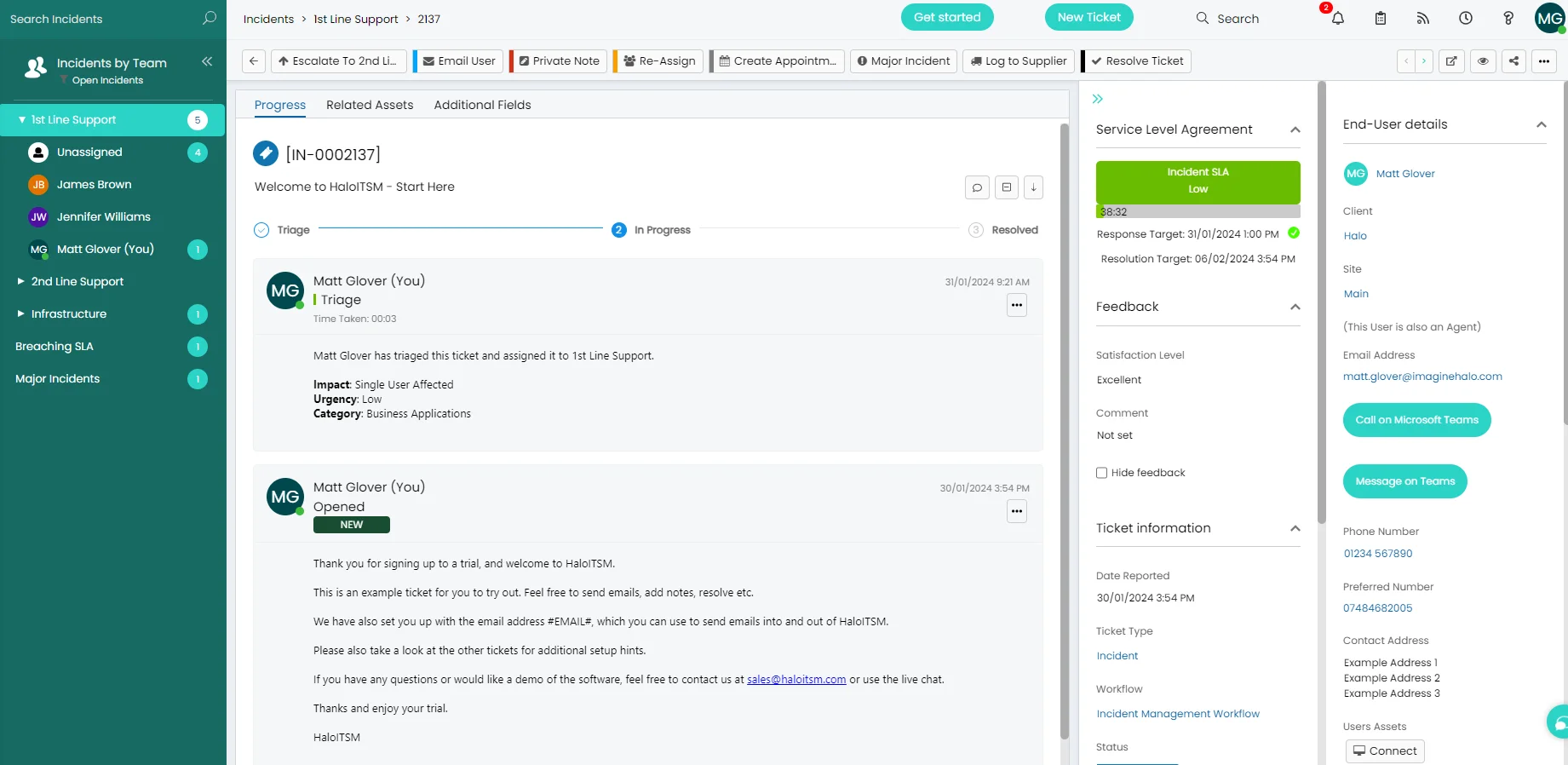
Halo ITSM open incident ticket view showing full details, SLA timer, action log, linked assets, and AI knowledge suggestion

Everything in one ticket.
No context switching.

Halo's incident ticket view puts every relevant piece of information on one screen — the full action log, SLA countdown, linked assets, related problems, AI knowledge suggestions, and communication thread. Agents resolve faster because they never have to leave the ticket to find what they need.

  • Live SLA countdown visible on every ticket — agents always know how much time they have and can escalate before a breach occurs.

  • AI surfaces relevant knowledge base articles inline as soon as the ticket is opened — agents see the answer without leaving the screen.

  • Link incidents to problem records, assets, and changes — giving you the full picture of impact and root cause without manual correlation.

The right information,
from the first moment.

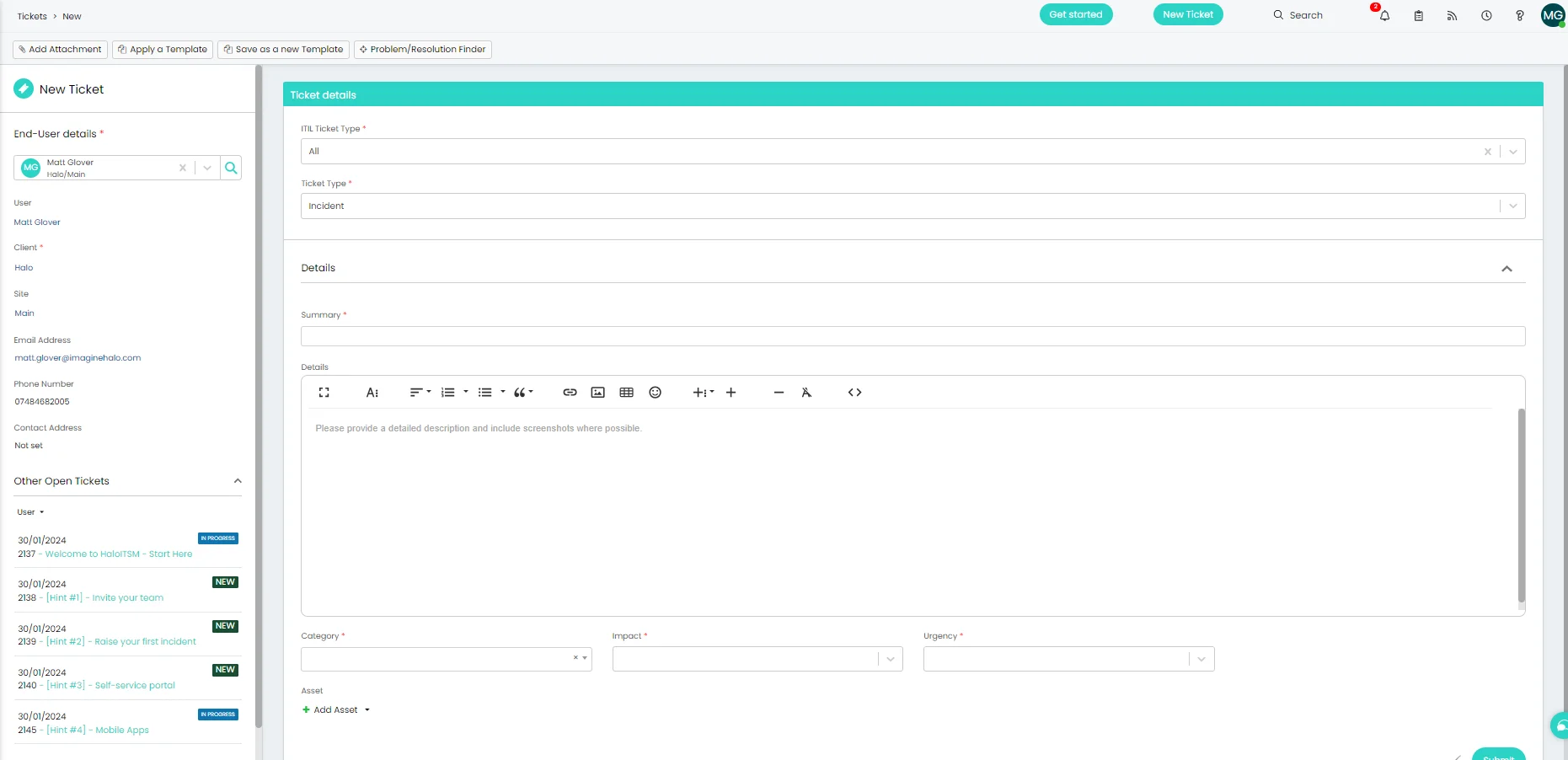
Halo's new incident form is fully configurable — define exactly which fields agents and end-users must complete, set default priorities and categories, and let Halo's AI pre-populate classification based on the ticket subject. Every incident arrives with the information needed to resolve it efficiently.

  • Configurable mandatory fields ensure agents capture impact, urgency, and affected user on every ticket — no shortcuts that degrade your reporting.

  • AI-assisted categorisation suggests the right team and priority as the agent types — reducing manual classification effort on high-volume desks.

  • End-users raising incidents via the portal use a simplified form with guided fields — structured intake without the complexity of the agent view.

Halo ITSM new incident form showing configurable fields for impact, urgency, category, and affected user

Everything incident management needs.

Built in and ready from day one — no separate module, no extra licence.

SLA Management

Define response and resolution SLAs by priority, category, or customer. Halo tracks every SLA in real time, alerts agents before breach, and escalates automatically when thresholds are crossed.

Automated Routing

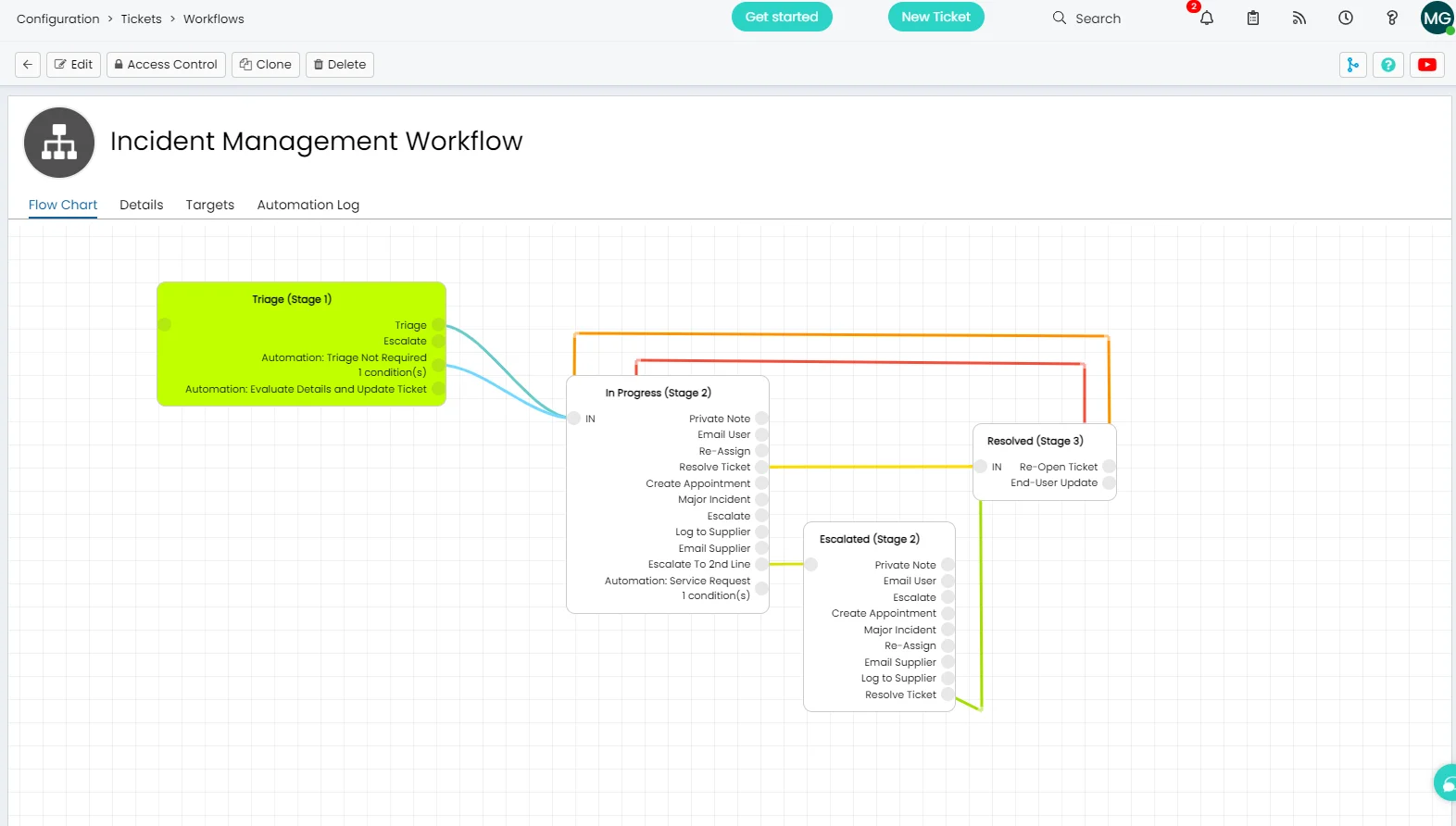
Route incidents to the right team automatically based on category, keyword, priority, or affected service. Halo's SAF routing rules handle first-level triage without any manual assignment.

AI Classification

Halo's AI reads ticket subjects and descriptions to suggest the right category, team, and priority — pre-populating fields at creation and reducing manual classification on every ticket.

Escalation Rules

Define multi-tier escalation paths that trigger automatically on inactivity, SLA risk, or priority. Managers are notified before issues become complaints — without any manual monitoring required.

Problem & Asset Linking

Link incidents to problem records and affected CIs directly from the ticket. Known error workarounds surface automatically; impact analysis shows every CI and service affected by an incident.

End-User Communication

Automated email and portal updates keep end-users informed at every stage. Closure notifications, satisfaction surveys, and re-open windows are all built in — no manual chasing required.

Incident management is standard.
Not an add-on.

SLA management, automated routing, AI classification, escalation rules, and full end-user communication are all included in Halo's single monthly licence — no per-module fees, no AI surcharges, no hidden costs.

SLA tracking & alerts

Real-time SLA countdowns, breach alerts, and automatic escalations — no manual monitoring, no missed commitments.

🤖

AI-powered from day one

Automatic classification, knowledge suggestions, and ticket summarisation — all included, no AI module to purchase.

🔗

Connected to everything

Incidents link natively to problems, changes, assets, and the knowledge base — one platform, no integrations to build or maintain.

Frequently asked questions

Incident management in Halo — answered directly.

Is incident management included in Halo ITSM?
Yes. Incident management is fully included in every Halo ITSM licence at no additional cost. This covers the full incident lifecycle — logging, classification, routing, SLA tracking, escalation, resolution, and closure — along with AI classification, automated workflows, and end-user communication. No separate incident management module is required.
How does Halo handle SLAs?
Halo tracks response and resolution SLAs in real time on every incident ticket. SLAs can be defined by priority, category, customer, or time of day. Colour-coded indicators show at-risk and breaching tickets at a glance in the queue. Agents receive alerts before an SLA is breached, and automatic escalation rules can notify team leads or reassign tickets when thresholds are crossed — without any manual intervention.
Can Halo automatically classify and route incidents?
Yes. Halo's AI analyses ticket subjects and descriptions to suggest the right category, team, and priority at creation. The SAF (Service Automation Framework) routing rules then route the ticket automatically to the correct team or agent based on the classification — eliminating manual triage on standard incident types. Both the AI classification and the routing rules are included in the standard licence with no extra configuration required.
How does incident management connect to problem and change?
Incidents in Halo can be linked directly to problem records and change requests within the same platform. When a known error is documented against a problem, the associated workaround surfaces automatically on linked incidents. If a change is the root cause of an incident, the link is recorded for post-incident review. Because incidents, problems, and changes all live in Halo, the relationships are native — no integration or data export required.
What's the difference between incident management and major incident management in Halo?
Standard incident management covers the day-to-day lifecycle of individual incidents — logging, routing, SLA tracking, and resolution. Major Incident Management (MIM) in Halo is a separate workflow designed for high-priority, organisation-wide events that require a coordinated response, a dedicated communication bridge, stakeholder updates, and a post-incident review. Both are included in the Halo licence. You can learn more on the Major Incident Management page.

See incident management in Halo.

Talk to an Allied ESM specialist and see how Halo handles incidents from first contact to resolved — fast.

Schedule a call